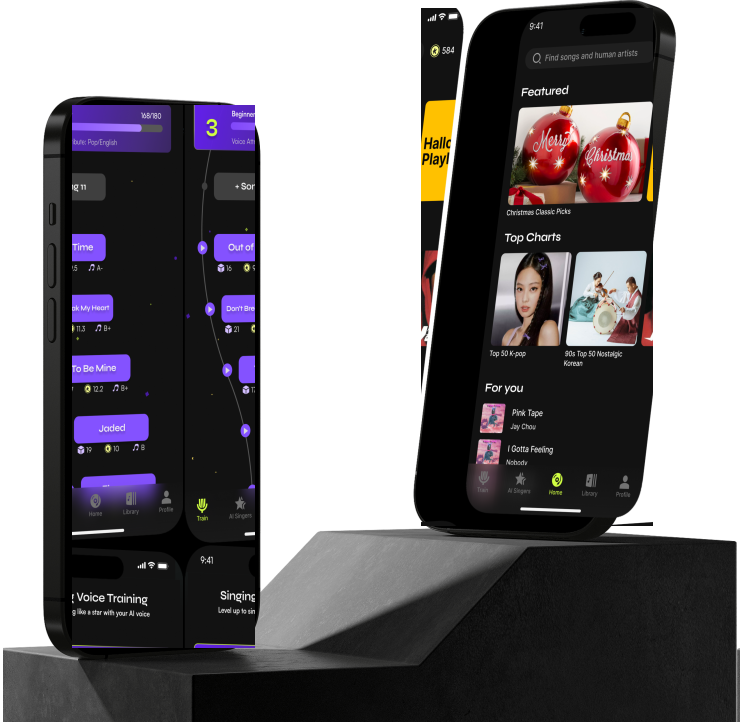
Overview
Improve the Engagement and Efficiency of AI training process for user to raise the conversion rate
This application aims to provide a fun and interactive way for people to train AI models on the social karaoke app for entertainment purposes.
Originally designed as a purely social karaoke app, the stakeholders shifted the focus to AI voice technology to give users more imagination about their voice. In response, I restructured the app to prioritize crucial features and enhance the user experience. To make the training process more accessible and engaging, I redesigned the user flow and created visual aids to help users track their progress. These improvements resulted in a 18% increase in daily active users and a 12% increase in the completion rate of users obtaining an AI model.
Context
AI-Empowered Karaoke Social App for General Public
Challenge
Wondera is a unique AI-empowered karaoke social app designed to help users train their personal AI voice through the fun and engaging medium of karaoke. Initially designed as a gamified social karaoke app, Wondera shifted its focus to include AI voice training upon joining the team. Despite this innovative feature, the adoption rate of personal AI models among users remains low.
Our primary revenue stream comes from AI model training and generating songs with these AI models. The key challenge we face is increasing the number of users who own and actively use their personal AI models.
Target Users
The target users are individuals who are not familiar with complex AI training processes but are passionate about exploring and experimenting with new technology for entertainment and social purposes. These include casual singers, social media users, and content creators.
Casual Singers
- Enjoy singing their favorite songs in different languages for fun.
- Experiment with different genres and cultural music through AI voice.
Social Media Users
- Enjoy sharing their AI-generated singing performances for social engagement.
Content Creators
- Create unique and engaging content by singing in multiple languages through AI voice.
Research
Flow Gap between Karaoke and AI-Voice Training
Interviews
To understand users' pain points, I interviewed 6 users and conducted think-aloud sessions while they used the app. I asked what attracted them to try AI training, how satisfied they were with the experience, and the biggest challenges they faced when training an AI voice model.

Participant 1
"I don't know where to check my training progress and what all the numbers on the card mean."

Participant 2
"I don't have patience. It feels like I need to spend a lot of time just to train one model."
Research Highlight
1. Engagement Challenges for Beginners
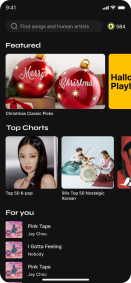
Beginner users struggle to stay engaged in the AI training process due to a disconnect between the karaoke-focused home page and the AI training flow. To check their training progress, they must navigate away from the main experience into profile and AI card views, which creates confusion and extra steps for new users.
2. Desire for Clearer Information on Training Materials
More advanced users want detailed insight into the recordings they upload and how those materials influence the AI model quality. They expect guidance on language, pitch range, and recording quality so they can intentionally improve their AI voice instead of guessing what to do next.
How Might We enhance engagement and ease of management for AI voice training within our product?
Design for engagement
Boosting Engagement with Integrated Training Flow, and a Progress Map Layout
Product direction
Wondera began as a social karaoke experience; the product direction shifted toward AI voice training as a core value. The design response was to treat singing and training as one continuous journey instead of two disconnected surfaces—so users stay motivated from first song through model completion.
That meant tightening navigation between discovery, recording, and progress, and surfacing training status where people already spend time, rather than hiding it behind profile-only entry points.
Solution
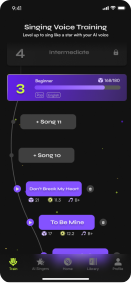
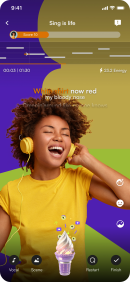
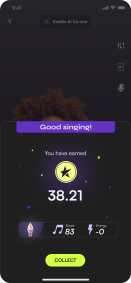
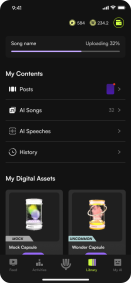
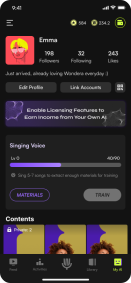
We integrated the training flow with the main singing loop: users can see how recordings feed the model, jump between practice and training tasks, and return to the map without losing context. The flow strip below compares the previous fragmented journey with the unified one we shipped.
Before — Singing and Training experience are separated.
Map layout
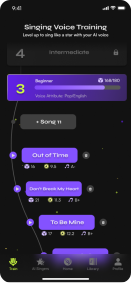
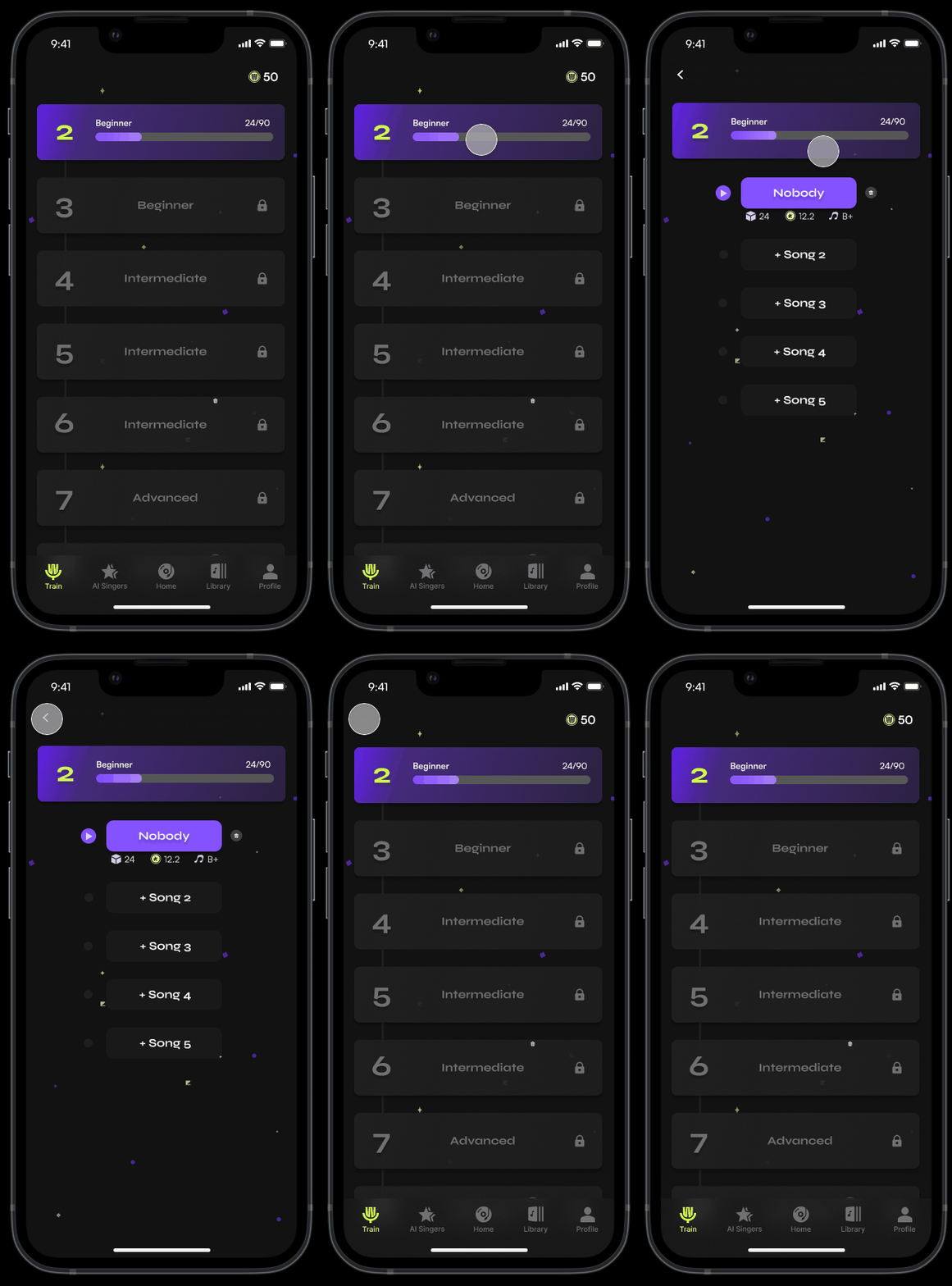
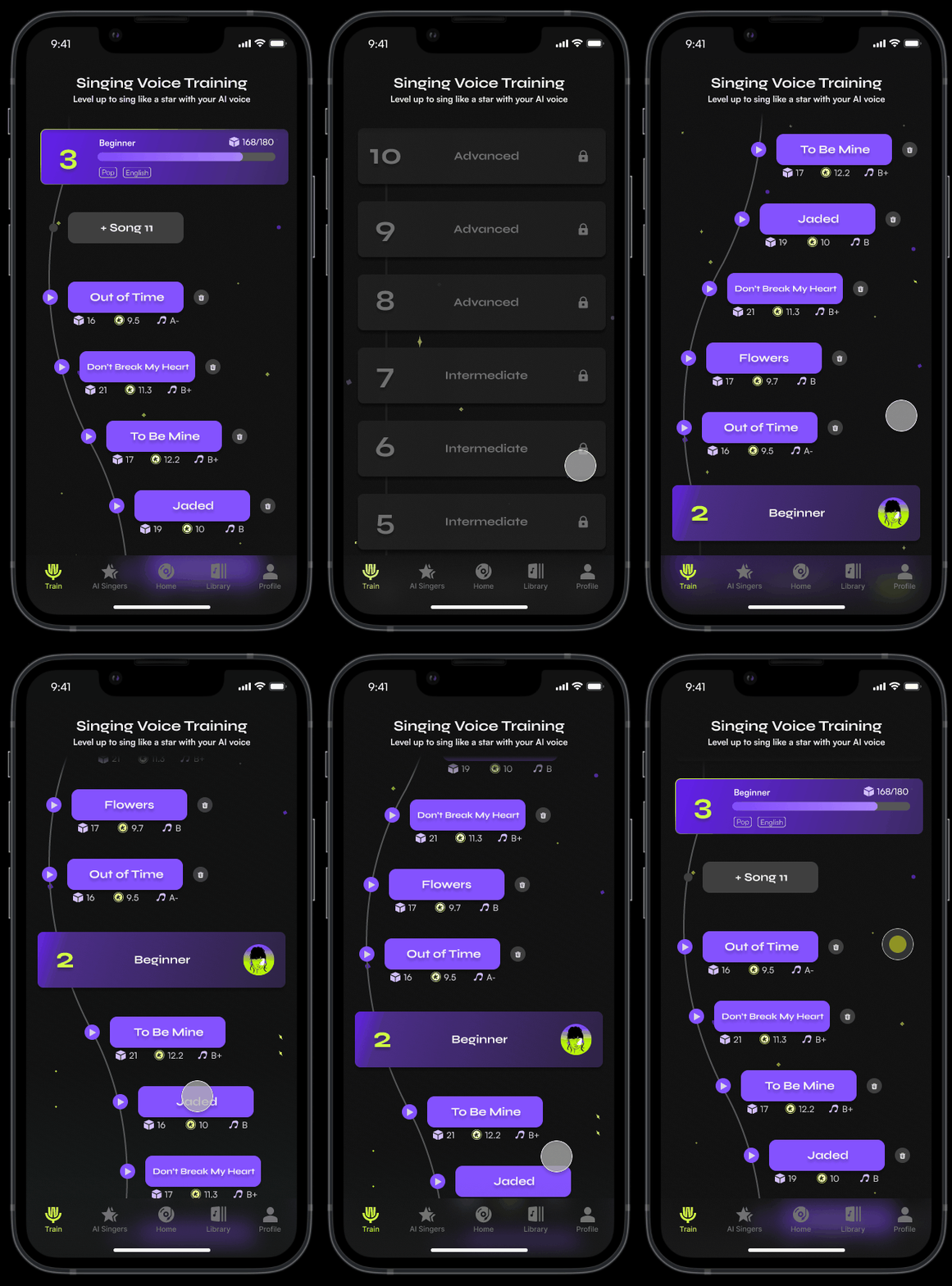
1. Linear Progression with Hub-and-Spoke Navigation
Showing all levels in a map and the song number required for leveling up.
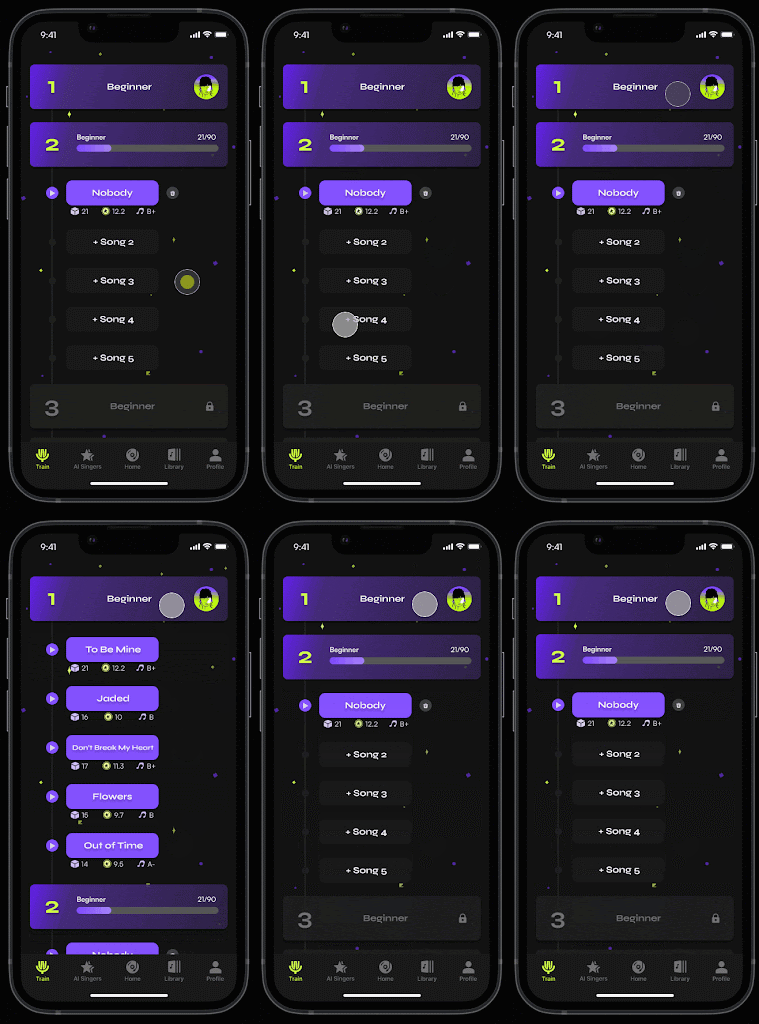
2. Unified Navigation with Expandable Level Details
Iteration for layout design
Iteration for Layout Design
User testing
Through user testing sessions with five participants, I discovered that all users appreciated the second design, unified navigation.
However, one participant noted that the layout made it somewhat difficult to identify the current level. She was unsure whether the current level was the upper or lower one.
Redesign
I found that the current reading order could be confusing for users. To address this, I reversed the order from bottom to top. This way, the training map starts from the completed level and progresses to the next level that requires more training materials. For example, after finishing the first level, the user will need to train with 5 songs to reach the Level 2 model.
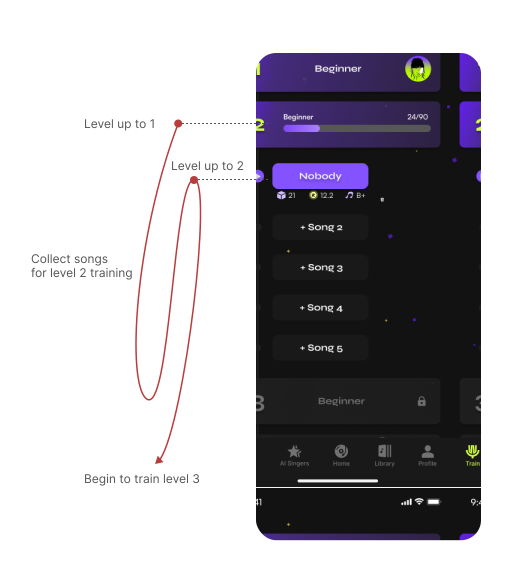
Before - Top to bottom
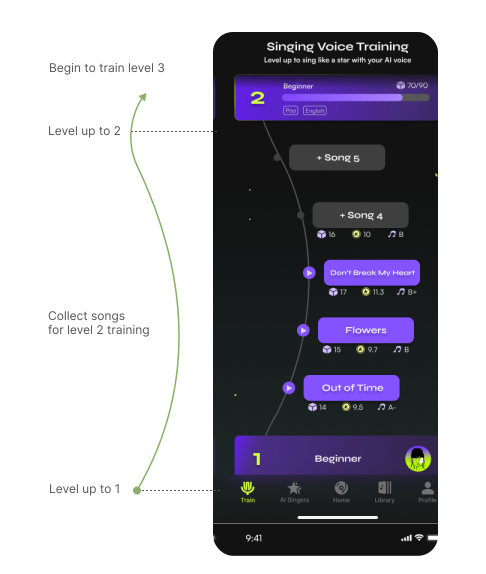
After - Bottom to top
Design for easy management
Empowering Users with Detailed Information and Intuitive Display for Better Model Training
User needs
From user interviews, it became clear that experienced users require more detailed information and an intuitive way to manage their materials to train high-quality AI models.
Solution
1. Provide Detailed Information
Ensure users have access to comprehensive details about their collected materials, such as voice quality, language, and range.
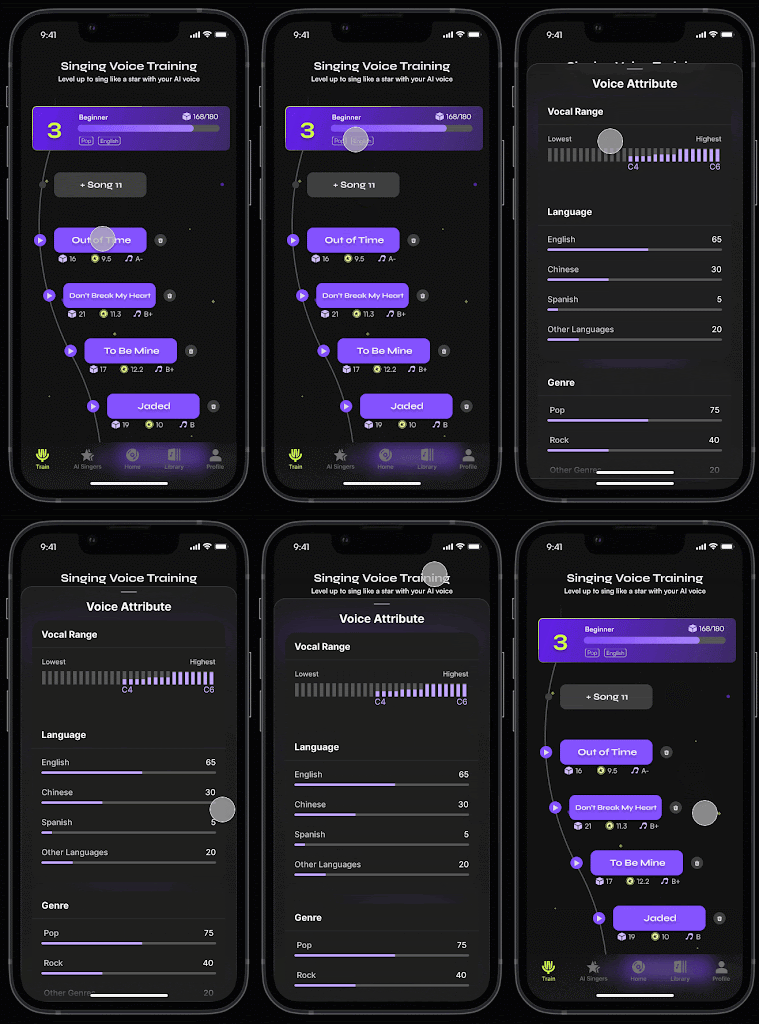
2. Enhanced Display
Introduce a more intuitive display that includes brief information about the current model level and details for each song.
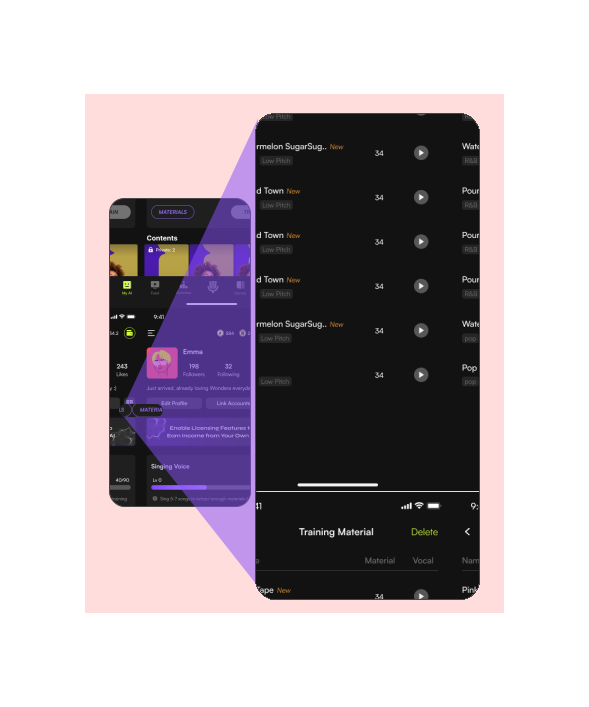
Before
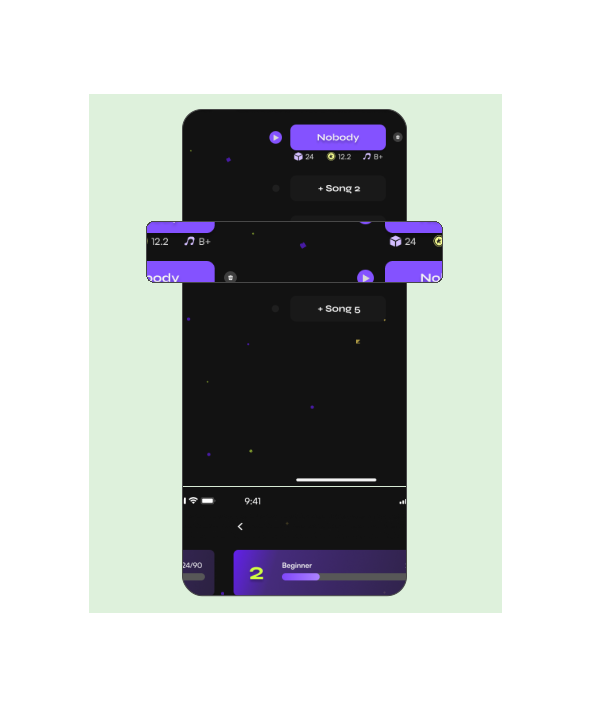
After
Outcome
Impact
The redesign improved understanding, confidence, and overall engagement.
+18%
Daily engagement with the training feature
+12%
AI model ownership rate
Reflection
Key Takeaways
Designing AI products is as much about trust and guidance as it is about capability.
- The balance between business needs and user experience
Initially, I encountered challenges with implementing features, such as adding a button to direct users to the shop within the app, which risked disrupting the user experience. Adding this extra flow seemed to interfere with the main functionality of the product. To address this, I began to explore the reasoning behind the proposed design, aiming to understand the underlying intentions.
By considering the business objectives, I learned to redefine the problem and develop new ideas that balance both business needs and user experience. This approach allowed me to create solutions that are more cohesive and user-friendly, aligning better with the overall goals of the product.
- The challenge of adding extra focus on an existing framework
The app initially functioned as a Karaoke platform with a well-developed gamification system. However, integrating an AI focus shifted the product's priorities, presenting challenges in merging the new system with the existing one. This shift required rapid iteration to respond to feedback from both user testing and investors.
Through this process, I learned the importance of quickly pinpointing key areas for improvement, iterating efficiently, and employing rapid prototyping to evaluate design assumptions. This experience honed my ability to adapt to changing priorities while maintaining a cohesive user experience.
Wondera Case Study